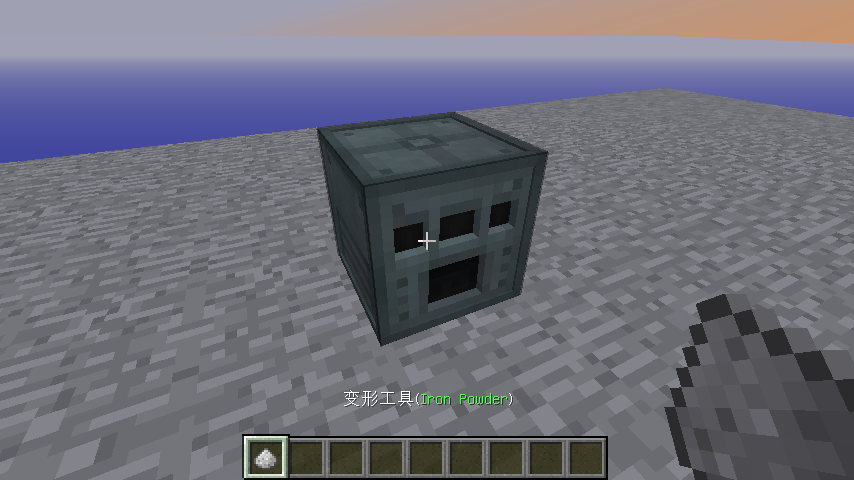
变形工具是一个简单的模组,它只添加了一个物品——变形工具

变形工具可以模拟任何你添加进工具中的扳手、螺丝刀、锤子,抑或由树枝或花瓣制成的法杖,这使它成为最好的“全能扳手”类型的工具
- 如果想要添加一个扳手类型的工具,只需要把这个物品放在变形工具旁边进行合成(无需工作台)
- 当你看向一个与你所添加工具来源于相同模组的方块时,变形工具会变成你所添加的那个工具
- 你从变形工具中所得到的都是真实的物品(工具),而非这个物品或容器的仿制品。这确保了与物品所具有的功能100%的兼容(详见配置模组)
- 你所添加的物品会获得一些依附于它的NBT标签,以此改变它的名字并确保游戏知道如何正确的改回它
- 由于你得到的是真实的物品,你可以把它用于合成,但你最好不要这么做,因为这样你会失去其他你所添加的物品
- 如果你不想改变已转换成某个物品的变形工具(也就是说你想绑定使用某个物品),按F键将它放置在你的副手。这样它只会在重新回到主手时变形
- 当变形工具处于原始状态,你可以用它旋转方块(通过使用Forge的旋转系统)。它应该能处理所有普通的方块和大多数模组方块(可经过测试原版只有很少几个像是熔炉、铁砧之类的方块能被旋转,而在旋转末影接口的方块时几乎没有一个能被其旋转)
- 如果想要移除你所添加的工具,请切换到你想要移除的工具,按住Shift键再点击Q键来移除工具
作者原文:
Morph-o-Tool is a simple mod, it adds only a single item, the Morphing Tool.
The Morphing Tool can mimic any wrench, screwdriver, hammer or wand made of twigs and petals you throw at it, making it the perfect "omni-wrench" style item.
To add a wrench style item to it, craft the Morph-o-Tool alongside the item.
Whenever you look at a block from the mod that adds that item, the Morphing Tool will turn into the item you added.
You get the actual item from the mod, not an emulation of the item or a container. This ensures 100% compatibility with that item's functionality.
The item gets some NBT data tacked on to it to change its name and ensure the game knows to change it back when you look away.
Since you get the actual item, you can use it for crafting but you probably shouldn't, as you'll lose all other attached items.
If you don't want the item to switch (say you have an item that does a binding style function), press F and put it in your off hand. It only morphs while in the main hand.
While in the standard "Morphing Tool" item, you can use it to rotate blocks using the forge rotation system. It should handle all vanilla blocks and most mod blocks.
To remove items attached to it, drop the item using Q while shifting and it's morphed into the item you want to remove. |
|